How do I activate a pCloud code?
Have you bought a pCloud Premium code (also known as a pCloud voucher or pCloud coupon) and want to activate it?
Here is the most comprehensive guide to activating your pCloud subscription in just a few seconds.
This tutorial works for all plans: Premium, Premium Plus, Ultra 10TB, Family 2TB and Family 10TB.
1. What is a pCloud code (voucher/coupon)?
A pCloud code is an official activation code that allows you to activate or extend a pCloud cloud subscription.
Once applied to your account, it immediately unlocks your secure storage space as well as all Premium features.
- Secure cloud storage
- Multi-device synchronisation
- Windows, macOS, Linux, Android and iOS apps
- Fast file transfer
Where can I buy a pCloud Premium activation code?
2. How do I activate a pCloud code? (Standard method)
Here are the official steps to activate a pCloud voucher:
- Log in to your account at pcloud.com.
- Go to your profile, then to the Subscription / Payment section.
- Find the Activate a coupon/voucher option.
- Enter the pCloud code you received by email via the Boutique PcLanD.
- Confirm: your account will be updated immediately.
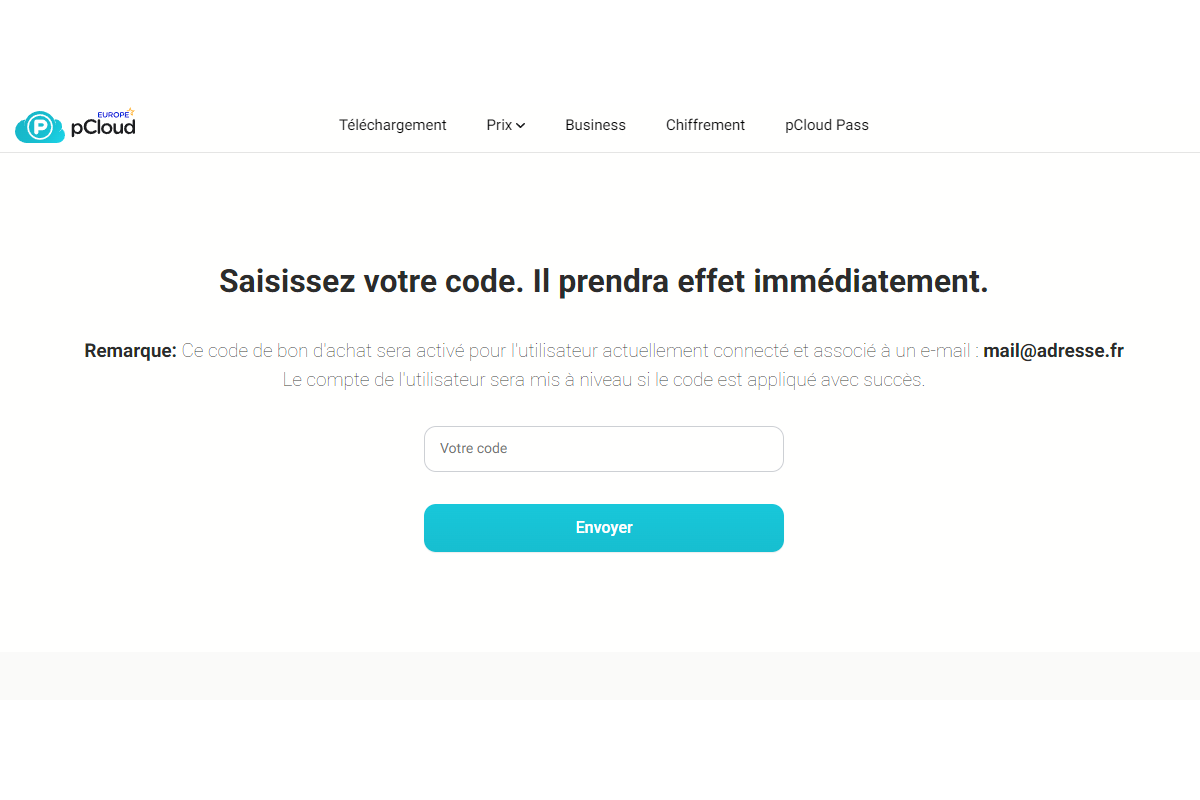
3. Activate your code via the official pCloud website
pCloud also has a dedicated page for activating vouchers:
https://www.pcloud.com/fr/coupon-activation.html
Simply enter your pCloud key there to activate your offer.
4. How can you check that your pCloud activation key has been successfully activated?
- Your storage space will appear immediately.
- Your subscription plan and duration will appear in your account.
- You’ll receive a confirmation email from pCloud.
5. What should I do if my pCloud key isn’t working?
There are several possible reasons:
- There is an error in the key (0/O, 1/I, spaces).
- The voucher has already been used.
- You are not logged in to the correct pCloud account.
- The pCloud server is experiencing a delay with activation.
In this case, you can contact Boutique PcLanD’s support team via the contact form or contact pCloud support directly.
FAQ – Activating pCloud codes
You can buy a pCloud Premium voucher from the Boutique PcLanD, with immediate delivery by email.
Either via your pCloud account or on the official page: pCloud voucher activation.
Check the characters, log back into your account or contact Boutique PcLanD support.
Yes, pCloud works on computers, smartphones, tablets and web browsers.
-

1fichier CDN credit
1fichierFrom €21.00Select options This product has multiple variants. The options may be chosen on the product page -
1fichier Premium and Premium LIGHT/GOLD
1fichierFrom €5.00Select options This product has multiple variants. The options may be chosen on the product page -
pCloud Premium & Lifetime Code – Official voucher
pCloudFrom €4.99Select options This product has multiple variants. The options may be chosen on the product page


En espérant vous avoir bien guidé dans cet article - Boutique PcLanD.
Nouveau, Windows 11 disponible !
Pour aller plus loin